Teaching Claude to Read My Brain (Well, My Notes)
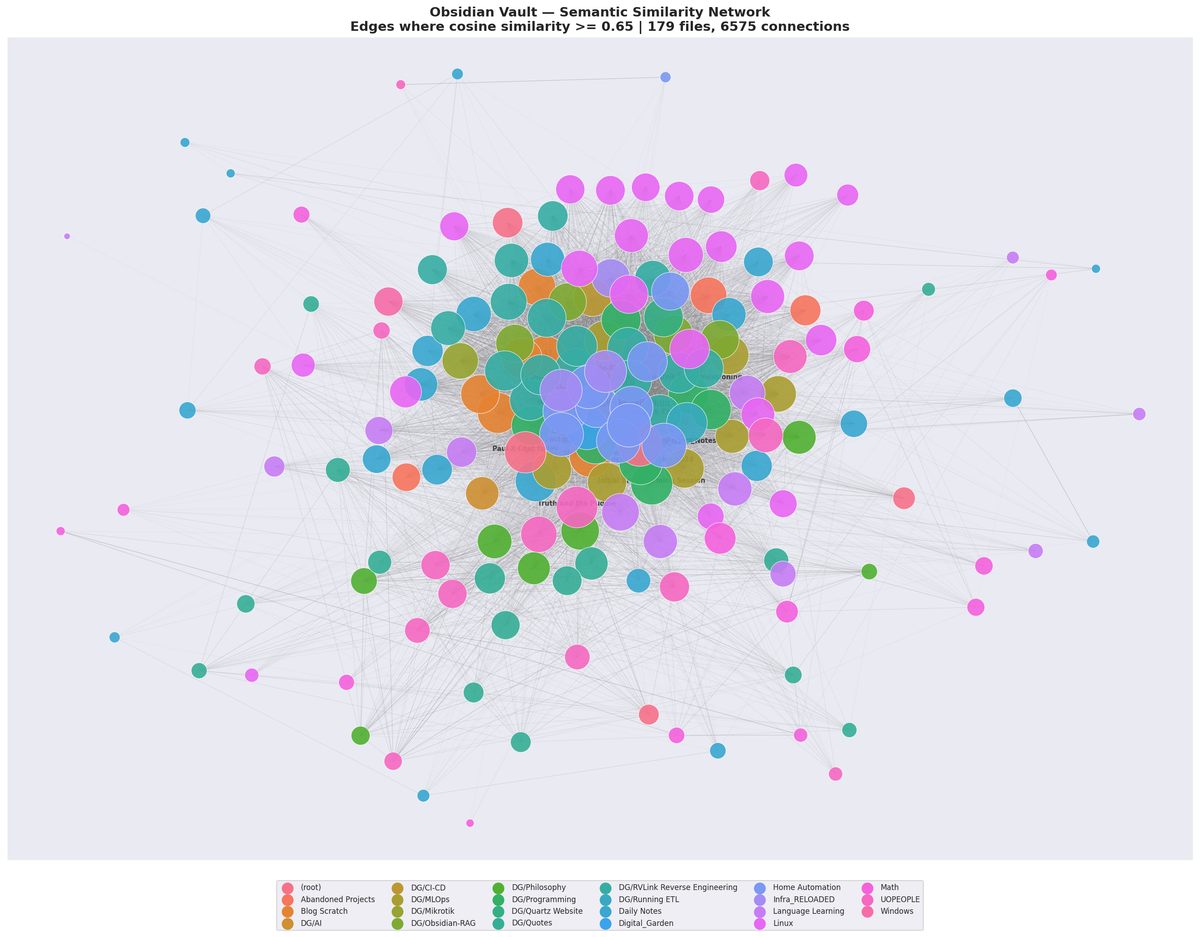
Building a semantic search pipeline over my Obsidian vault with pgvector, Ollama, and 141 lines of Python
I have a problem. Well, it's not really a problem but that's never stopped me before. Over the past couple years I've accumulated about 190 markdown files (rookie numbers I know) in my Obsidian vault. Reverse engineering notes on my RV's roof unit. Home Assistant automations. Zig tutorials. Philosophy rambles. Infrastructure documentation for a homelab that has no business being this complicated. A recipe for shakshuka that I swear I'll make again someday.
The thing about a personal knowledge base is that it's only useful if you can find things in it. Obsidian's built-in search is fine for when you remember the exact words you used, but my brain doesn't work that way. I don't search for "MikroTik firewall rule input chain" — I search for "how did I set up that port knocking thing?" And Obsidian's full-text search stares back at me, confused.
So I built a semantic search pipeline. You type a question in plain English, it finds the notes that are about that thing, even if they don't contain those exact words. And then I wired it into Claude Code via the Model Context Protocol, which means my AI coding assistant can now rummage through my personal notes to answer questions about my own infrastructure.
It's kind of like giving someone a tour of your house, except the tour guide has actually read all the sticky notes on the fridge.
The Architecture (It's Three Services in a Trenchcoat)
Here's what we're working with:
- An indexer that chews through my Obsidian vault, splits notes into chunks, and computes embedding
- A vector database (
pgvectoron PostgreSQL) that stores those embedding and enables similarity search - An MCP server — a tiny Python process that bridges Claude Code to the database
The indexer runs as a Docker container on cyrion (my main app server). The database lives on phlegethon, a dedicated PostgreSQL LXC container. And the MCP server runs locally on my workstation, talking to both.
If you're not familiar with embeddings: the basic idea is that you feed text into a model and it spits out a list of numbers — a 768-dimensional vector, in this case — that represents the meaning of that text. Similar meanings produce similar vectors. So "how to configure a firewall" and "setting up iptables rules" end up close together in vector space, even though they share almost no words.
It's not magic. But it does feel like it sometimes.
The Embedding Model: Ollama + nomic-embed-text
I'm already running Ollama on cyrion for local LLM inference, so using it for embeddings was a no-brainer. The model is nomic-embed-text — it produces 768-dimensional vectors and weighs in at about 274MB. Not huge. Fast enough for a vault this size.
The API is dead simple:
curl http://localhost:11434/api/embed \
  -d '{"model": "nomic-embed-text", "input": "how did I set up port knocking"}'
You get back a JSON blob with an embeddings array containing 768 floats. That's your semantic fingerprint.
The Three Files That Won't Cooperate
Out of 190 files, three consistently fail to embed. They're all in my Digital Garden quotes folder, with those lovely SHA-hash filenames like 5d97927e58f7b24327798417830a95e76f151fbf27ef002e3ea8803c6cad9c9d.md. Ollama returns a 400 error on them — probably some encoding weirdness in the content. The indexer logs the failure, shrugs, and moves on. 187 out of 190 ain't bad.
The Vector Database: pgvector
I already had a PostgreSQL instance running on my server. Adding the pgvector extension was straightforward:
CREATE EXTENSION vector;
The documents table uses pgvector's vector(768) type for the embedding column. The real magic is the <=> operator, which computes cosine distance between two vectors. The search query is almost embarrassingly simple:
SELECT file_path, heading, content,
       1 - (embedding <=> $1::vector) AS similarity
FROM documents
ORDER BY embedding <=> $1::vector
LIMIT 10
That's it. Give it a query vector, it returns the 10 most semantically similar chunks, sorted by relevance. The 1 - distance trick converts cosine distance (where 0 is identical) into a similarity score (where 1 is identical), which is more intuitive to read in results.
The MCP Server: 141 Lines of Glue
This is the part I'm most pleased with, because it's almost comically small. The entire MCP server is 141 lines of Python, and a good chunk of that is docstrings.
Model Context Protocol (MCP) is a standard for giving AI assistants access to external tools. Think of it like USB for AI — a standard interface that lets you plug capabilities into any compatible client. Claude Code supports it natively, so I can register custom tools that show up right alongside its built-in file reading and code search.
The server exposes three tools:
search_notes(query, limit) — The main attraction. Takes a natural language query, embeds it via Ollama, and runs the vector similarity search against pgvector. Returns matching chunks with file paths, headings, similarity scores, and content.
list_topics() — Returns a structured overview of everything in the index, grouped by folder. Useful for browsing when you don't know what you're looking for.
get_note(file_path) — Retrieves the full content of a specific note by reassembling all its chunks in order. Once search finds something interesting, this lets you read the whole thing.
The implementation uses FastMCP for the protocol handling, psycopg for PostgreSQL, and httpx for talking to Ollama. Here's the core of the search function:
@mcp.tool()
def search_notes(query: str, limit: int = 10) -> str:
    limit = min(limit, 50)
    embedding = get_embedding(query)

    with psycopg.connect(DATABASE_URL) as conn:
        with conn.cursor() as cur:
            cur.execute(
                """SELECT file_path, heading, content,
                          1 - (embedding <=> %s::vector) AS similarity
                   FROM documents
                   ORDER BY embedding <=> %s::vector
                   LIMIT %s""",
                (str(embedding), str(embedding), limit),
            )
            rows = cur.fetchall()
    # ... format and return results
That's the whole pipeline in one function. Embed the query, search the vectors, return the results.
What It Looks Like in Practice
When I'm working in Claude Code on my homelab infrastructure, the AI assistant can now search my personal notes as naturally as it searches code. If I ask it something about my network setup, it doesn't just have the project documentation — it has my scattered notes, debug logs, and "AHA!" moments from months ago.
A search for "how does the doorbell chime work" returns my Home Assistant notes about the NuTone project. "What's the deal with virtiofs" surfaces my infrastructure debugging notes. "ZigBee pairing procedure" finds the right Home Automation page even though I never used the word "procedure" in the actual note.
The similarity scores give you a feel for confidence. Anything above 0.7 is usually a strong match. The 0.5-0.7 range is "related but maybe not what you're looking for." Below 0.5 and you're in "grasping at straws" territory.
The Total Bill
No API keys. No cloud services. No usage-based billing. No sending my personal notes to someone else's server. Everything runs on hardware I already own, on services I'm already running.
What I'd Do Differently
Honestly? Not much. This is one of those rare projects where the first approach was approximately the right one. If I were starting fresh:
- I'd probably add a reranking step for the top results. Embedding similarity is good but not perfect — a lightweight cross-encoder model could reshuffle the top 20 results and get better precision.
- The chunking strategy could be smarter. Right now it splits on headings with a hard 6000-character limit. Something that understood semantic paragraph boundaries would produce more meaningful chunks. I'm fairly certain there are existing libraries that would do this better with zero effort on my part.
- I haven't built any kind of hybrid search that combines vector similarity with keyword matching. For queries where you do remember an exact term, BM25 + vector fusion would be strictly better.
But honestly, for a personal vault of 190 files, the current setup is more than good enough. It finds what I need. It runs unattended. It costs nothing. Sometimes the best engineering is knowing when to stop.
The Stack
For anyone who wants to build something similar:
- Vault: Obsidian (any folder of markdown files works)
- Embeddings: Ollama with
nomic-embed-text - Vector DB: pgvector on PostgreSQL
- MCP Framework: FastMCP
- Client: Claude Code (or any MCP-compatible client)
- Scheduling: systemd timer (or cron, if your distro still does that)
The whole thing — indexer, MCP server, database schema — is maybe 300 lines of Python total. No Kubernetes. No message queues. No microservice mesh. Just a script that reads files, a database that stores vectors, and a server that searches them.
Sometimes the boring solution is the right one.
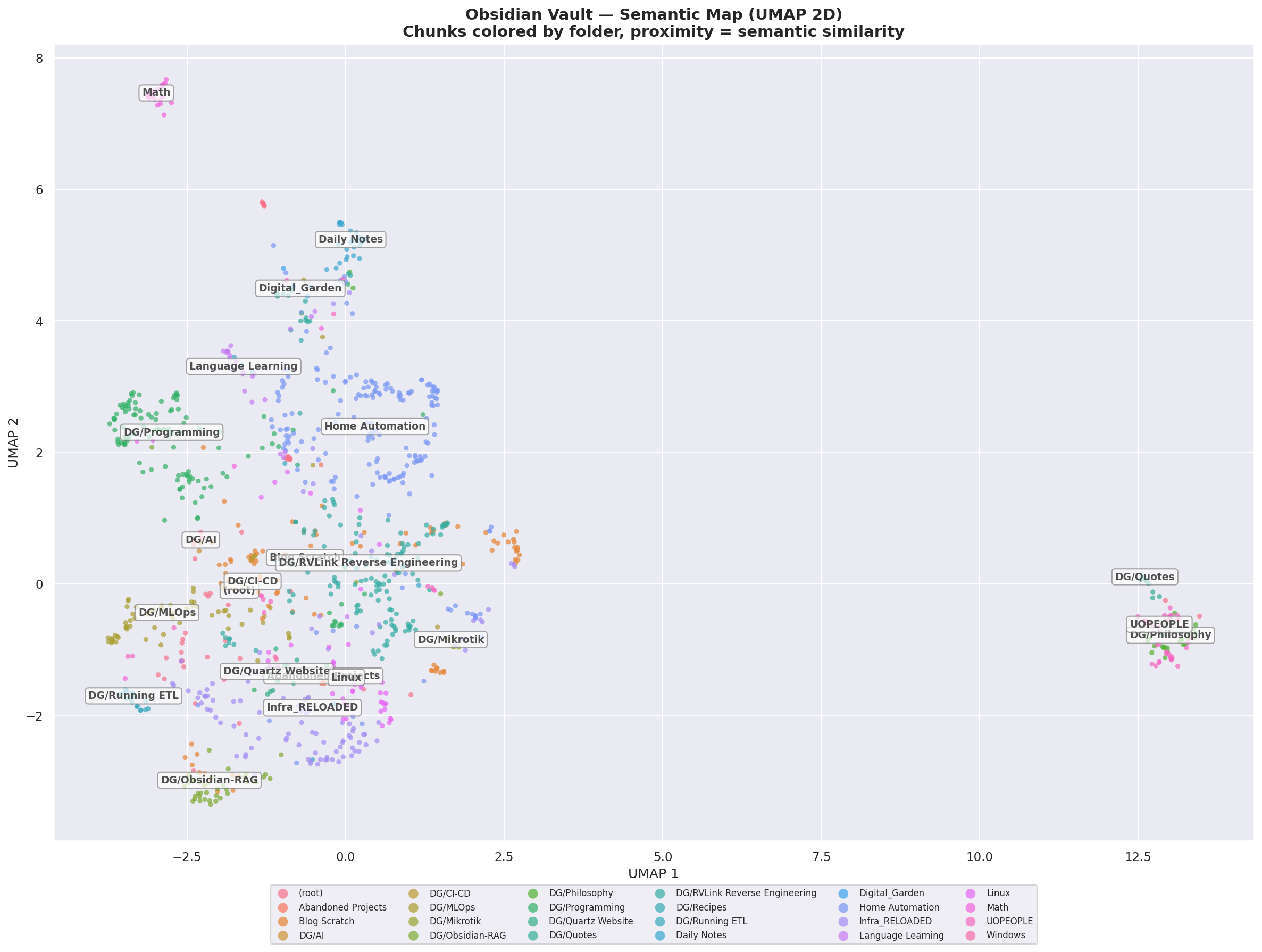
I mentioned really cool visualizations right?
Left Click: Rotate
Right Click: Pan
Scroll: Zoom