From Bare Metal to Botanical: A Zig-Powered Kobo Exfiltration Pipeline
Every Kobo e-reader ships with the same dirty secret: your highlights are trapped. They live in a SQLite database buried at /mnt/onboard/.kobo/KoboReader.sqlite, and Kobo's official stance on getting them out is essentially "plug it into a computer and figure it out." There's no API. There's no sync service. There's a USB-C port and a prayer.
For a device whose entire purpose is reading — an activity that practically begs you to save the good parts — the fact that your highlights are imprisoned on the device is an absurd design failure. I had about 200 quotes rotting in that SQLite file, and the only way to reach them was to physically tether the Kobo to my laptop, navigate the filesystem, crack open the database, and manually extract them. Every time.
To display expertise without pretension. - Marcus Aurelius
I needed a way to get those quotes off the device wirelessly, into a database I controlled, and ideally onto my public website where they could actually be useful. What started as "finally, a practical excuse to write something in Zig" spiraled — predictably, inevitably — into a five-system pipeline spanning a custom ARM binary, a visual workflow engine, a relational database, a knowledge management app, and a static site generator.
It is over-engineered. I will not be apologizing.
As they say, ‘the start is more than half the job’ – that’s to say, a lot of the things you’re trying to figure out immediately become clear once you have the right starting point. - Aristotle
The Silo Problem
Let's talk about what we're up against. The Kobo stores everything — reading progress, bookmarks, annotations, highlights — in a single SQLite database. The schema is reasonable, honestly. The Bookmark table has your highlighted text, a timestamp, and a ContentID that links back to the book. You could query it in about thirty seconds if you could get to it.
He wish’d to please everybody; and, having little to give, he gave expectations. - Benjamin Franklin
But "getting to it" means USB. The Kobo runs a stripped-down Linux distribution with no SSH server, no web server, no package manager, and no meaningful way to run custom software out of the box. It's a locked garden with a garden hose for a gate — you can get water out, but only by physically dragging a hose to the spigot every time you're thirsty.
The Kobo community has solved the access problem. NickelMenu lets you add custom menu items that execute shell scripts. FBInk lets you draw text on the e-ink display. Between the two, you can trigger custom binaries from the device's own UI and show feedback on screen. The question is: what binary?
Stage 1: Going Bare Metal with Zig
Here's where I'll be honest. I didn't need to write a custom binary. I could have written a Python script and bundled it with a portable interpreter. I could have cross-compiled a Go binary. I could have used Rust. But I'd been looking for a real-world excuse to use Zig on something more interesting than toy programs, and a constrained embedded target felt like exactly the right fit.
It turned out to be the exactly right tool for the job, too. Not just an excuse.
Kobo e-readers run ARM Linux with a minimal userspace. No Python runtime. No Node.js. No package manager to install one. Anything you put on the device needs to be a self-contained binary with zero runtime dependencies. Zig gives you that. A single zig build command produces a statically-linked ARM binary with musl libc and an embedded copy of SQLite compiled right into it. No shared libraries. No dynamic linker games. No "works on my machine" debugging. The flesh is weak, but the binary is pure.
The cross-compilation is the part that still feels like magic. The build.zig vendors the SQLite amalgamation as a C source file and compiles it alongside the Zig code in one pass:
exe.addCSourceFile(.{
    .file = b.path("vendor/sqlite-amalgamation-3480000/sqlite3.c"),
    .flags = &.{
        "-DSQLITE_THREADSAFE=0",
        "-DSQLITE_OMIT_LOAD_EXTENSION",
    },
});
exe.addIncludePath(b.path("vendor/sqlite-amalgamation-3480000"));
exe.linkLibC();
No CMake. No autoconf. No separate build step for SQLite. The Zig build system compiles C sources natively, so you just point it at sqlite3.c and it gets linked in. To target the Kobo's ARM processor, you pass the target triple at build time:
zig build -Dtarget=arm-linux-musleabi -Doptimize=ReleaseSmall
That's the whole incantation. Zig handles the cross-compilation toolchain, the musl libc static linking, and the SQLite C interop in a single command. No Docker container running an ARM toolchain. No cross-compiler packages to install. Just zig build with a flag.
The final binary — kb_exfiltrator-kobo-arm — is 1.27 MB. That's SQLite, HTTP client, SHA256 hashing, JSON serialization, text cleaning, and the application logic. All of it. On a device with 32GB of storage, 1.27 MB is a rounding error.
What It Actually Does
The binary reads the Kobo's SQLite database, pulls every highlight from the Bookmark table, and does three things to each one:
- Cleans it. Kobo sometimes prepends OCR pagination artifacts to highlighted text — stray page numbers that snuck into the selection.
"10After the battle"becomes"After the battle". - Hashes it. Two SHA256 hashes per highlight: one of the cleaned text (the
text_hash, used for deduplication) and one of the book's title (thebook_hash, used as a stable book identifier). The SQL query extracts just the filename from Kobo'sContentID— which is a full filesystem path containing location-specific segments that change between reading sessions. An earlier version hashed the rawContentIDand promptly produced a dozen different hashes for the same book. Lesson learned: hash the identity, not the address. - Ships it. Bundles everything into a JSON array and POSTs it to a Node-RED endpoint on my home network.
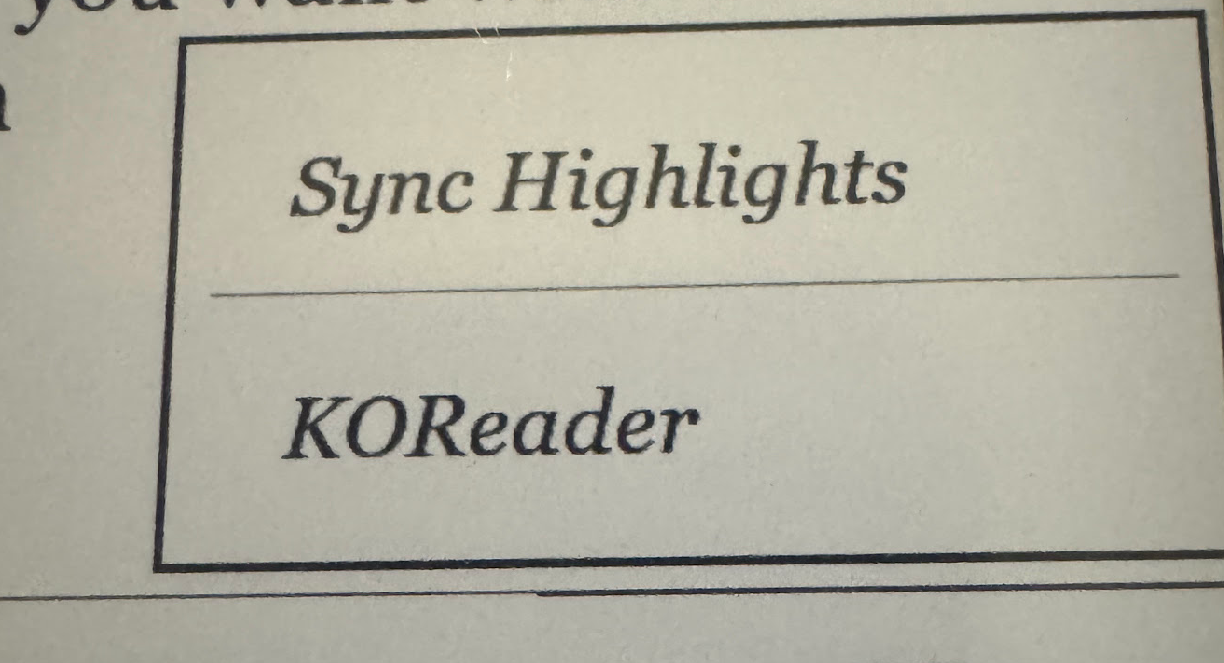
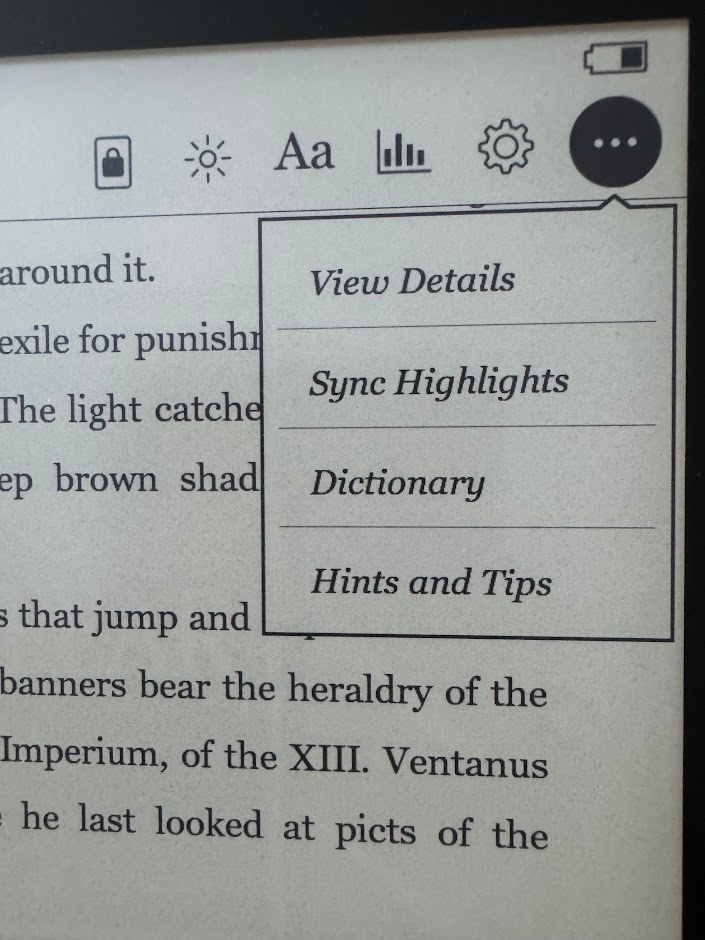
On the Kobo, the binary lives at /mnt/onboard/.adds/kb_exfiltrator/ alongside a wrapper script. NickelMenu adds a "Sync Highlights" button to the main menu and the reader menu. Tap it, the binary runs, FBInk flashes "Syncing highlights..." on the e-ink display, and a couple seconds later you get "Synced 209 highlights!" before it clears.
Zero USB cables involved. You don't even have to leave the book you're reading.
The most merciful thing in the world, I think, is the inability of the human mind to correlate all its contents. We live on a placid island of ignorance in the midst of black seas of infinity, and it was not meant that we should voyage far. - H.P. Lovecraft
Stage 2: The Relational Middle Layer
This is the part where people ask: "Why not just write the highlights straight to markdown files?" And it's a fair question. The binary could absolutely generate markdown and write it to the device's filesystem, or POST directly to a file-writing endpoint. But there's a reason I put a relational database between the device and the output files, and it's the same reason you put a staging area between a loading dock and a warehouse shelf.
Node-RED as the Ingestion Engine
Node-RED is a visual workflow tool that I'd recently added to my stack. It runs as a Docker container on cyrion (my main app server), and it turned out to be perfect for this: wire up an HTTP endpoint, connect a database node, add some processing logic, deploy. No boilerplate web framework. No route definitions. You literally drag boxes and draw lines between them.
The POST /api/highlights endpoint receives the JSON array from the Kobo binary and processes each highlight with an upsert:
INSERT INTO kobo_highlights (text_hash, book_hash, text, book, date)
VALUES (?, ?, ?, ?, ?)
ON DUPLICATE KEY UPDATE
  book = VALUES(book),
  date = VALUES(date),
  updated_at = CURRENT_TIMESTAMP
The text_hash is the primary key. If you sync the same highlights twice — or ten times, or a hundred — the database quietly updates the timestamps and moves on. No duplicates. No conflicts. Idempotent by design.
The response tells you what happened:
{
  "message": "Highlights processed successfully",
  "total": 209,
  "inserted": 3,
  "updated": 206
}
Three new quotes since last sync. Two hundred six refreshed. Takes about two seconds.

Why MariaDB Matters
The MariaDB instance on stygies (a dedicated database LXC container) gives me things that flat files never could:
- Durability. If I accidentally delete every markdown file in my vault, the quotes are still in the database. They can be regenerated in seconds.
- Query flexibility. Want to know how many quotes I have per book?
SELECT book, COUNT(*) FROM kobo_highlights GROUP BY book. Want to find every highlight from January? It's aWHEREclause. Try doing that with a folder full of markdown files. - Clean separation of concerns. Ingestion and export are completely independent. The Kobo syncs whenever I tap the button. The markdown export runs on its own schedule. Neither knows or cares about the other's timing.
- Safe re-sync. The
ON DUPLICATE KEY UPDATEpattern means I never have to worry about whether I've synced before. The answer is always "sync again, it'll figure it out."
Could I have gotten away without it? Probably. Would the system be more fragile, harder to debug, and impossible to extend? Absolutely.
Arguably, rather than trying to feel less weird, uncertain, or anxious, the aim of our existence should be to feel more content with the inevitability of these qualities. - Robert Pantano
Stage 3: The Gardener
The second Node-RED flow is the one I think of as the gardener. It runs daily at 3:00 AM (and has a manual trigger for the impatient), reads every highlight from MariaDB, groups them by book, and tends to the markdown files in my Obsidian vault.
For each book, it either creates a new file or updates an existing one. The clever bit — and I'll take credit for this one — is the incremental export. Every quote in the markdown file has an invisible HTML comment containing its text_hash:
> He is a slave, believing himself a king.
> — *2026-01-19*
<!-- hash:9f03b997794b00cdf9133e05db122aa5... -->
When the gardener runs, it reads the existing file, extracts every hash comment, and only appends quotes that aren't already there. This means it can run daily without rewriting the entire file, and it's safe to run manually whenever you want. The output is a debug payload that tells you exactly what happened:
{
  "message": "Export complete",
  "booksCreated": 1,
  "booksUpdated": 5,
  "booksSkipped": 20,
  "quotesAdded": 3,
  "totalBooks": 26
}
One new book. Five books got new quotes. Twenty were already up to date. Three total quotes added across everything. The gardener checks each plot, waters what's dry, and leaves the rest alone.
There is a line when selflessness becomes unhealthy. If all you do is to raise others from ignorance, when is there time for you to learn more yourself? If all you seek is a greater purpose in existence, where is the joy in your own life? Look to the future, but cherish the present. - Aaron Dembski-Bowden
The Filename Problem
Book titles from Kobo's ContentID field look like this:
40K/Heresy/Betrayer (Dembski-Bowden, Aaron) (Z-Library).epub
Slashes, parentheses, commas, spaces, Unicode — basically every character that makes a filesystem flinch. Instead of trying to sanitize book titles into valid filenames (a game you always lose eventually), I use the book_hash as the filename: f39d5574673a46556fdcccfc3fd2f943.md. The actual title goes in the YAML frontmatter where it's safely quoted. The rendered page shows the title. The filesystem sees a hash. Everyone's happy.

There are more things likely to frighten us than there are to crush us; we suffer more often in imagination than in reality. - Seneca
Stage 4: From Vault to Website
The only good is knowledge and the only evil is ignorance. - Aaron Dembski-Bowden
Here's where the spiral gets its payoff.
I was already running a digital garden — a publicly hosted version of parts of my Obsidian vault, built with Quartz v4 and served as a static site. The infrastructure was already there. Quartz understands Obsidian syntax natively: wiki-links, frontmatter, callouts, all of it. It generates a fully navigable HTML site with search, a graph view, backlinks, and a table of contents. The deployment pipeline — a shell script that detects vault changes, rsyncs content into a Docker build context, runs a multi-stage build (Node.js builder → NGINX Alpine), and deploys the container — was already running.
All I had to do was make sure the markdown export wrote to a path inside the published portion of my vault. That's it. That was the entire "deployment" step for this project.
The Quartz build script (update_quartz_docker.sh) checks for changes against a timestamp file. If any file in the vault is newer than the last build, it rebuilds. If the gardener wrote new quotes at 3:00 AM, the next build cycle picks them up. The new container goes live on port 18000 on cyrion, and Nginx Proxy Manager on my Lightsail VPS routes garden.c0smere.net to it through a Twingate tunnel.
The quotes section at garden.c0smere.net/Quotes/ has one page per book, each one a collection of blockquotes with dates. It's not fancy. It's exactly what I wanted.
As always, whenever I want to get rid of someone I’m not really listening to, I made it appear as if I agreed. - Albert Camus
And because the vault is also indexed by my Obsidian RAG pipeline — a semantic search system that gives my AI coding assistant access to my personal notes via the Model Context Protocol — these highlights don't just sit on a website. They feed back into my local AI context. A quote I highlighted on the couch six months ago can surface in a conversation about my infrastructure today, because the same vault that publishes to the garden also gets chunked, embedded, and searched by Claude Code. The data doesn't dead-end. It loops.
It is no sin to wish to live a life that matters. - Aaron Dembski-Bowden
The Full Timeline
| Event | Latency | What Happens |
|---|---|---|
| Tap "Sync Highlights" on Kobo | Instant | kb_exfiltrator runs, extracts highlights, POSTs to Node-RED |
| Node-RED receives POST | ~2 seconds | Upserts all highlights into MariaDB |
| Daily 3:00 AM export | Scheduled | Node-RED reads MariaDB, writes new quotes to vault |
| Quartz rebuild | Next cycle | Detects changed files, rebuilds static site |
| Public website updated | After rebuild | New quotes visible at garden.c0smere.net |
From tap to published: same day. Tap to database: two seconds. The only manual step in the entire pipeline is the one that should be manual — deciding to sync while you're sitting there reading.
O my soul, do not aspire to immortal life, but exhaust the limits of the possible. - Pindar
The Total Bill
| Component | Cost |
|---|---|
| Zig compiler | Free (open source) |
| Node-RED | Free (already running on cyrion) |
| MariaDB | Free (already running on stygies) |
| Obsidian | Free (for local use) |
| Quartz | Free (open source) |
| Lightsail VPS | ~$5/month (shared with other services) |
| My time | Extensively misspent |
No cloud APIs. No subscription services for highlight sync. No third-party apps that want $4.99/month to export your own data from your own device. The whole thing runs on hardware I already own, on services I was already running.
The task of man is one: to fashion the world by giving it a meaning. This meaning is not given ahead of time, just as the existence of each man is not justified ahead of time either. - Simone De Beauvoir
Was It Worth It?
Black-and-white labels make life easier, but they do so by making life lifeless. - Nolen Gertz
The honest answer is that the initial goal — get the quotes off the Kobo wirelessly and into a database — was accomplished in about a weekend. The Zig binary and the Node-RED ingestion flow were the hard parts, and they were done before Sunday dinner.
Everything after that was the spiral. Node-RED was a new toy, and the markdown export was too satisfying to resist. The Quartz infrastructure was already there, whispering "you know, those quote files are right there in the vault, and the build script already picks up changes..." And once you realize that tapping a button on your e-reader can, through a chain of systems you built yourself, put your reading highlights on a public website without you lifting another finger — well, you don't un-build that. You write a blog post about it.
The pipeline has been running unattended for months now. I sync when I remember to, the gardener tends the files at 3:00 AM, and the website updates itself. Twenty-six books. Over two hundred quotes (I only got this specific e-reader in June of last year). Every one of them extracted, stored, transformed, and published by a chain of systems that starts with a 1.27 MB binary on a device that was never designed to let you do any of this.
Is it over-engineered? By any reasonable metric, yes. But the alternative was plugging in a USB cable every few weeks and manually copy-pasting quotes into text files, and I'd rather build a pipeline than do something tedious more than twice. That's not a justification. That's a personality trait.
What can a decent man speak about with the most pleasure?
Answer: about himself. - Fyodor Dostoyevsky
The Stack
For the adventurous:
- Kobo binary: Zig with embedded SQLite, cross-compiled to ARM
- Ingestion: Node-RED HTTP endpoint → MariaDB upsert
- Database: MariaDB (any SQL database with upsert support works)
- Export: Node-RED scheduled flow → Obsidian markdown files
- Knowledge base: Obsidian
- Static site: Quartz v4 (TypeScript, multi-stage Docker build, NGINX)
- Public access: Nginx Proxy Manager on AWS Lightsail, tunneled via Twingate
Six systems. Zero manual steps after the initial tap. One very specific personality disorder.
I shall never sleep again. But then—how shall I endure my own company? - Jean-Paul Sartre